SocialExport Desktop Guide
Installation steps for eight desktop browsers, plus how to export social platform data and generic web content locally, to Feishu, or to Notion.
Last updated: 2026-11-23
SocialExport is free and runs locally in your browser, built to export social media platform data & watermark-free media as well as generic web & document content to Local, Feishu, and Notion. Core collection and local export do not require a product account. If a source platform requires sign-in, sign in directly on that platform first.
1. Download and install
Jump to your browser: Chrome · Edge · Firefox · 360 Extreme · Quark · 360 Secure · Liebao · QQ Browser
Common Chromium steps
- Download the SocialExport Chromium package and extract the entire ZIP.
- Find your browser below, open its extension manager, and enable developer mode.
- Select Load unpacked and choose the folder that directly contains
manifest.json. - Find SocialExport in the browser's extensions menu and pin it to the toolbar.
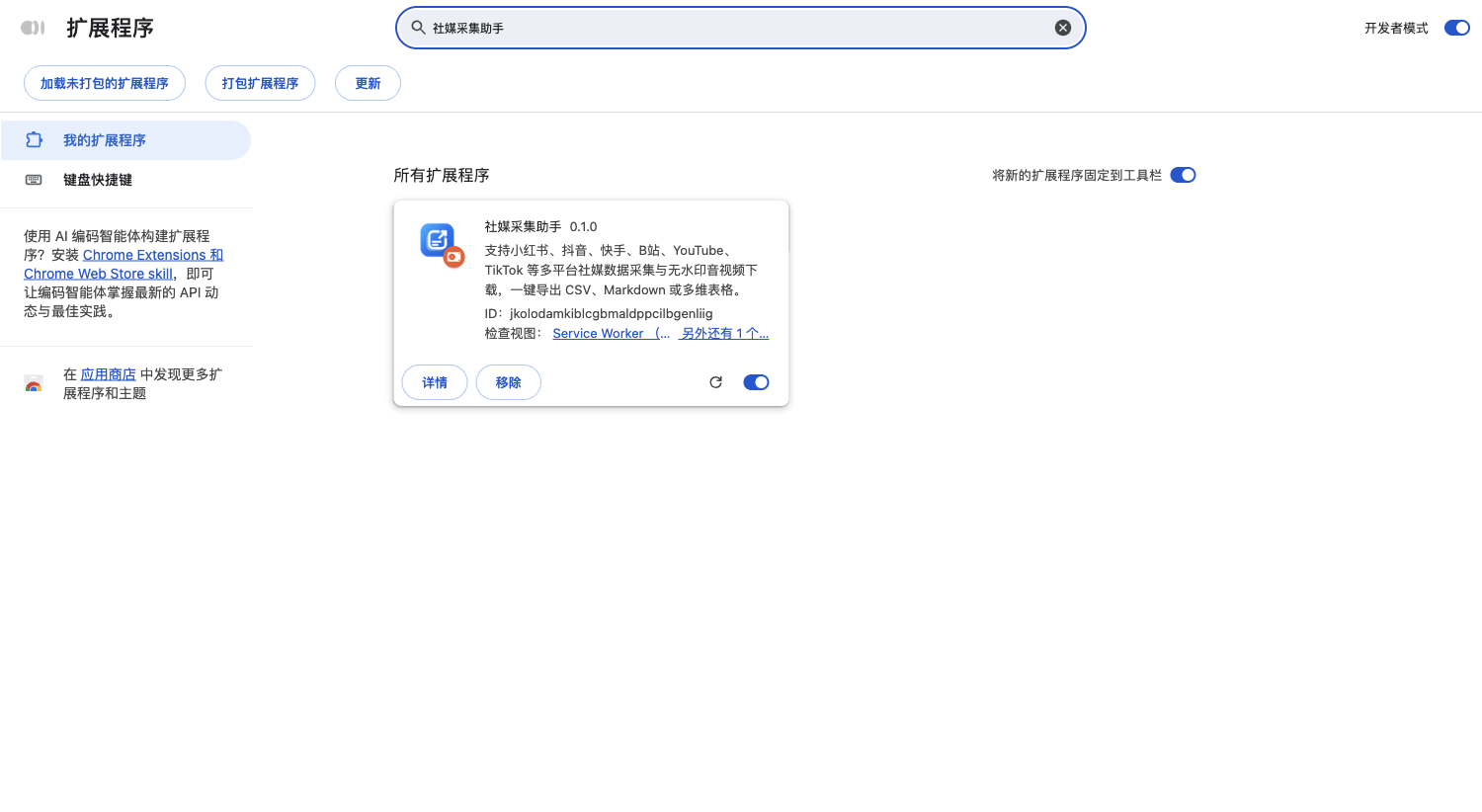
This is an actual SocialExport installation in a Chinese-language Chromium browser. Other Chromium browsers use a similar workflow, with different menu labels and button positions.
Chrome
Open chrome://extensions, enable Developer mode, and select Load unpacked.
Microsoft Edge
Open edge://extensions or follow Extensions → Manage extensions, enable Developer mode, and select Load unpacked.
Firefox
- Download the SocialExport Firefox test package and extract the ZIP.
- Open
about:debugging#/runtime/this-firefoxto reach This Firefox. - Select Load Temporary Add-on and choose the extracted
manifest.json.
- This Firefox
- Load Temporary Add-on
- Select manifest.json
- Confirm the extension is loaded
This unsigned test package needs to be loaded again after Firefox restarts. Firefox supports clipping, data export and media processing. Google extension sign-in is available on Chromium, and sidebar access depends on the browser.
360 Extreme Browser
Open the main menu and go to Settings → Extensions. Enable Developer mode and load the extracted folder if your version offers that option. A dialog that accepts only CRX files cannot install this ZIP.
Quark Browser
On desktop, open Extension center → Manage extensions from the toolbar. Enable Developer mode at the bottom left and select Load unpacked.
360 Secure Browser
On Windows, open Extensions → Manage → Advanced management and enable Developer mode. Use the unpacked-folder option when available. A dialog that accepts only CRX files cannot install this ZIP.
Liebao Browser
On Windows, open Options → My apps from the top-left browser menu. Enable Developer mode and select Load unpacked.
QQ Browser
On desktop, open Extensions → Manage extensions from the toolbar. Enable Developer mode and select Load unpacked.
These steps apply to desktop versions that can load unpacked extensions. Manifest V3 support depends on the browser version. After loading, check that SocialExport appears as enabled.
2. Export generic web & document content
- Open any public web page or open Feishu cloud doc (
docx/wiki) and wait for its content to load. - Select the SocialExport toolbar icon and check the displayed page title and domain.
- Select Export to Markdown ZIP for the full document plus offline image assets, or Export to Markdown File for a standalone
.mdfile; once configured, you can also select Export to Feishu (Feishu Docs) or Export to Notion (Notion Pages).
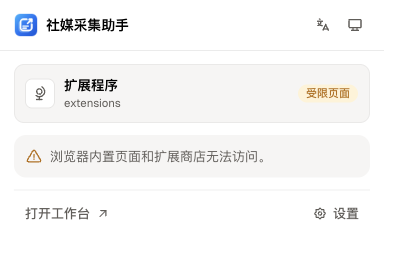
Local export does not require a Feishu/Notion integration or a product account.
Grant image access only for sites you intend to save. Sign in on the original site if necessary; the extension does not bypass access restrictions.
3. Export social media data & watermark-free media
- Open a supported post or creator profile.
- Open the extension popup or Export Center and choose an available Watermark-Free Media, Post Data, Post Comments, Creator Profile, or Creator Works entry. Available dimensions vary by platform and page.
- Select Download Watermark-Free to save HD media, Export Locally to download a UTF-8 BOM
.csvspreadsheet, or Export to Feishu / Export to Notion to write directly to your online database.
Media extraction supports Xiaohongshu, Douyin, Kuaishou, Bilibili, TikTok, YouTube, X, Instagram and Pinterest. Availability depends on platform policies, page structure, session state and source quality. Verify one public item before starting a batch.
4. Optional: Export to Feishu & Export to Notion
Cloud export is an intentional browser-to-API transfer, not a prerequisite for local export:
- Export to Feishu: Configure your own Feishu / Lark app credentials (
App ID/App Secret) and optional folder or Base URL in extension settings to export social data to Feishu Base tables and web content to Feishu Docs. - Export to Notion: Configure your Notion Internal Integration Token and shared parent page or database URL in extension settings to export social data to Notion Databases and web content to structured Notion Pages.
Read the Feishu configuration guide
Troubleshooting
The browser cannot find the manifest
Select the directory containing manifest.json directly, not the ZIP or an extra parent directory.
The page is not recognized
Refresh the source page, check that it is supported and grant the required site permissions. Protected browser pages and extension stores cannot be clipped normally.
Images are missing or downloads fail
Check image permissions, your platform sign-in state and whether the media URL is still valid. Scroll to load images before retrying. Cross-origin and platform download restrictions can make individual assets unavailable.
Do I need an account or payment?
No. Core collection and local export are free and require no SocialExport account. Optional third-party integrations require your own service configuration.